
How to reduce subscription churn on Shopify
Churn has a few predictable causes. Here's what drives each one, and how Subscription Concierge addresses it.
Subscription churn comes in two kinds. Voluntary churn is a subscriber choosing to cancel: the product isn't right, they have too much, or the subscription has started to feel like a bill. Involuntary churn is a subscription ending because a payment failed, usually an expired or declined card, when the customer never meant to leave. Both are fixable, and the fixes are different.
1. "I don't want what's coming next"
A delivery the subscriber doesn't want is one of the most common reasons to cancel. A subscription queue shows each subscriber their upcoming deliveries with product photos, so they can swap, add, or reorder before anything ships. Subscribers who'd rather not choose take a Concierge Pick, recommended for them from your catalog.
What to set up: tiers with enough variety to choose from, and product weights to steer picks toward what you want to feature.
2. "I have too much right now"
When the only way out is canceling, subscribers cancel. The self-service portal lets them skip, pause, or reschedule a delivery, or change how often it comes, in one place on your storefront and in Shopify's customer accounts.
What to set up: link the portal from your store menu and customer account menu so it's easy to find before someone goes looking for the cancel button.
3. A card was declined
Involuntary churn is often the easiest to recover, because the customer still wants the subscription. Smart dunning retries over several days, sends escalating notices, and gives the customer a secure Shopify link to update their card. Access pauses automatically until payment resolves, and your team sees every failed attempt and its decline reason on the customer's record.
4. "I've decided to cancel"
When a subscriber starts to cancel, they choose a reason, and the offer matches it: someone who has too much is offered a skip or a pause, and someone who finds it too expensive can be offered a discount. Either way the reason is recorded, so you can see which products and tiers drive cancellations.
5. "Too many boxes, too much shipping"
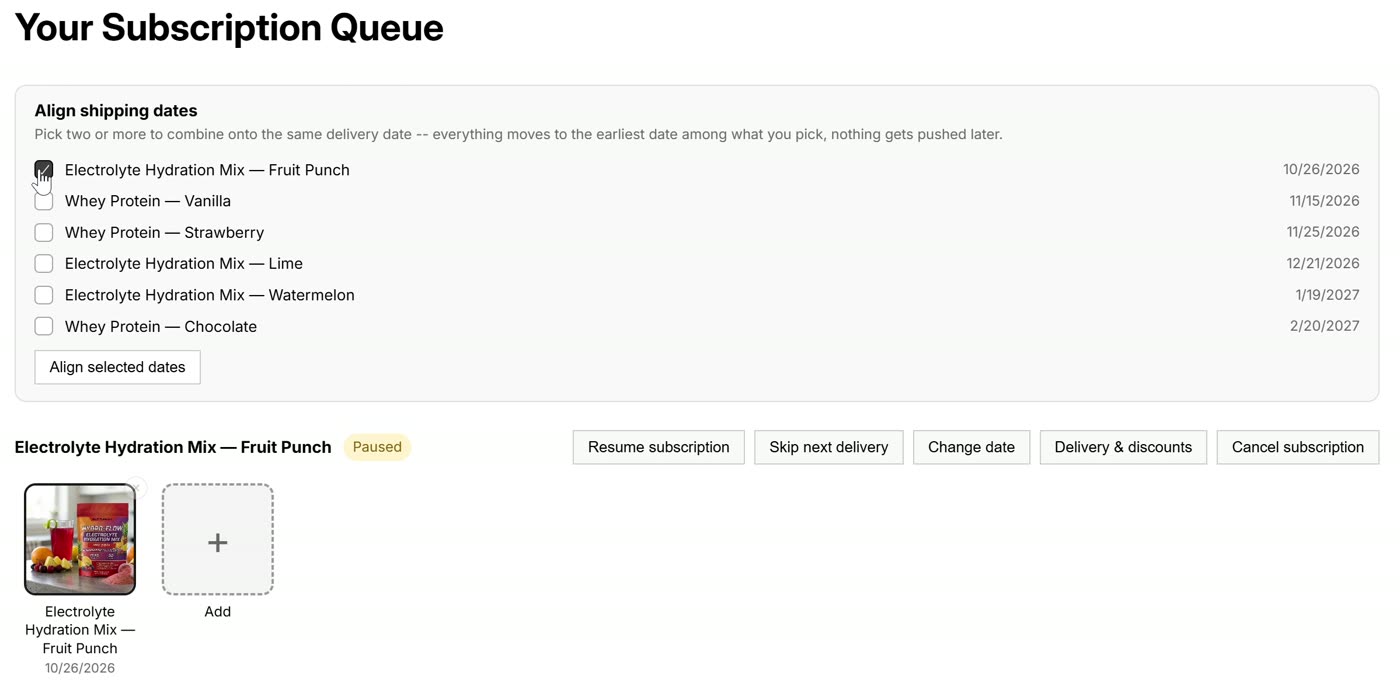
Customers with several subscriptions can combine them onto one delivery date with subscription anchoring. They're prompted automatically when deliveries fall close together, so fewer boxes ship and shipping costs less.
6. They've already left
Some cancellations are temporary. A win-back event goes to your email tool with a one-click restart link that rebuilds the customer's last subscription in their cart, with your win-back discount applied. They confirm and pay at checkout, and the new subscription is linked to the old one so you can see who came back.
Measure it
Analytics break churn out by product, tier, and bundle, alongside cohort lifetime value and the reasons people gave for canceling, so you can see which changes are working. To put a number on it, the pricing & churn calculator shows what a one-point drop in monthly churn is worth to your store.
More ideas in Subscription retention: 10 ideas that keep subscribers.
See the queue on a live store
Subscription Concierge is in private beta. Book a 15-minute demo and we'll walk through it.